Using AI to create images
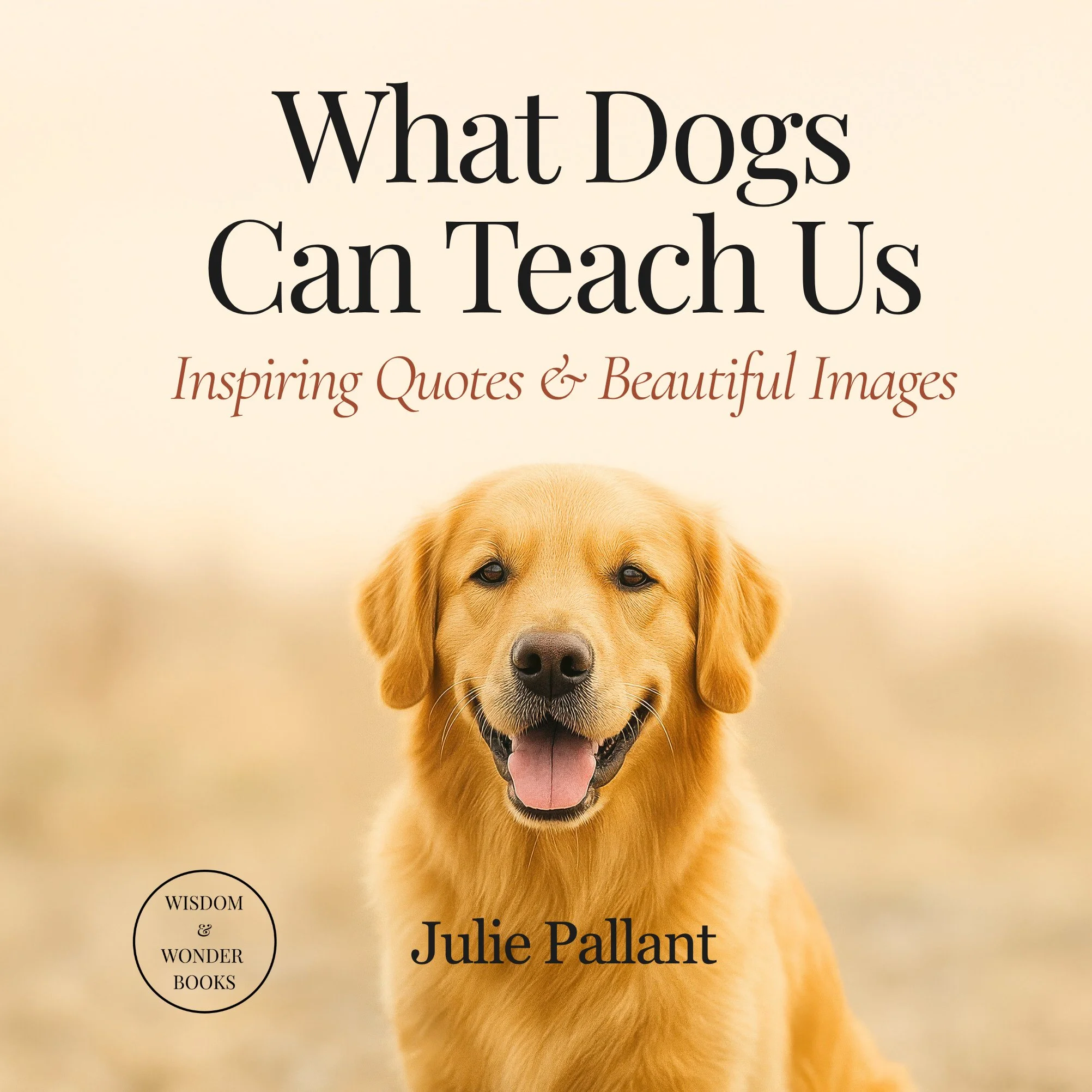
When I began working on What Dogs Can Teach Us, I chose to use AI as a creative partner because it allowed me to explore ideas and images that would be extremely difficult to achieve through photography alone. The book brings together a wide range of dog breeds, expressions, and emotionally meaningful moments, many of which are fleeting, unpredictable, or impossible to stage consistently and ethically in real life.
AI gave me the freedom to translate real human experiences and observations of dogs into visual form, without placing pressure on animals or relying on chance. Used thoughtfully, it became a tool for creativity rather than a shortcut—supporting my aim to create images and words that offer comfort, insight, and a positive emotional boost for readers.
In the sections below I explain the process that I went through to create What Dogs Can Teach Us. I describe the various AI tools that I used.
Step 1: Interview dog owners
I began by talking with dog owners and asking them to describe the behaviours they found most endearing, comforting, or amusing in their dogs. I encouraged them to be specific about expressions, posture, habits, and the situations in which these behaviours appeared.
I wanted the images to reflect the small, often fleeting behaviours that dog lovers instantly recognise—the tilt of a head, the look of quiet devotion, the playful mischief that makes us smile without thinking. Many of these moments are deeply familiar to owners but surprisingly difficult to capture consistently through traditional photography, particularly when working across many breeds, sizes, temperaments, and environments.
These were not technical descriptions but emotional ones: how their dog looks when waiting by the door, the expression they pull when guilty, the way they curl up when offering comfort, or the pure joy they show during play. These lived experiences formed the emotional foundation of the book.
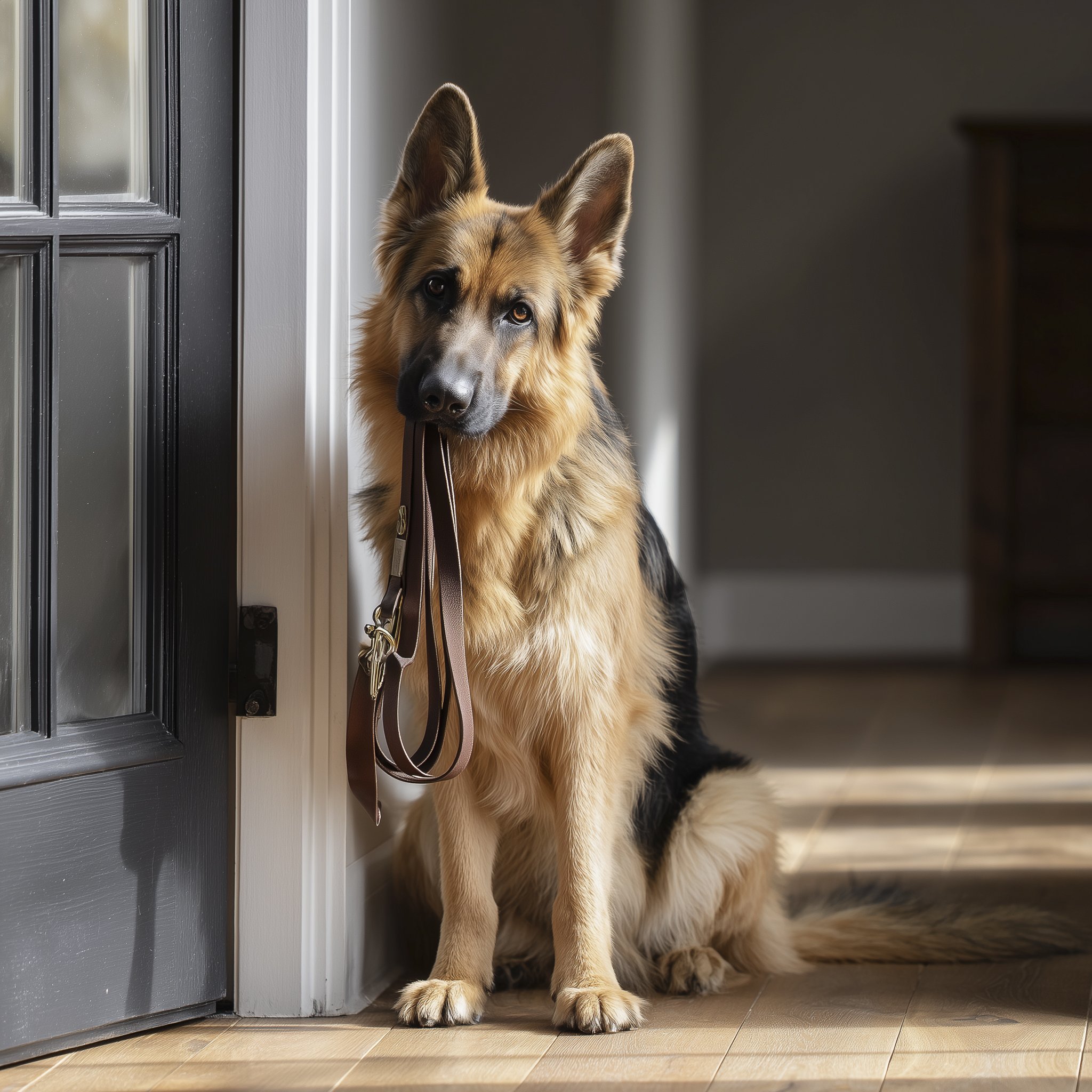
Comment from dog owner
“My dog absolutely loves going for a walk. He will often stand by the door with his leash in his mouth. There is something about the way he tips his head to the side that makes him hard to resist.”
Step 2: Prepare description of dog and behaviour
I then translated these descriptions into language that AI could work with.
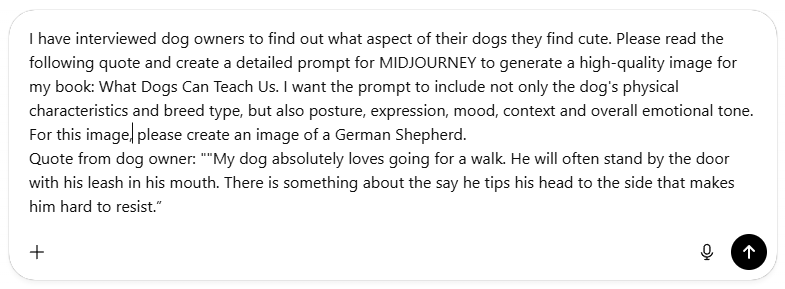
Using ChatGPT, I described each description of the dog and its behaviour from the interviews in detail and asked the program to generate highly specific image prompts that I could use in MIDJOURNEY (an AI image generator program).
These prompts included not only the dog’s physical characteristics and breed type, but also its posture, expression, mood, lighting, background, and overall emotional tone.
The goal was not realism for its own sake, but emotional accuracy—images that felt true to the experiences shared by the owners.
My instruction to ChatGPT:
Program used: CHATGPT
ChatGPT is an AI-based writing tool that can be used for a wide range of creative and practical writing tasks, from generating short quotes and reflections to drafting longer pieces of text.
In this part of the project, I used it to create the “prompt” or description that was used in Midjourney, an AI image generator, to create the images you see in the book.
You can also try alternatives such as Claude, Microsoft Copilot, Google Gemini.
Prompt written by ChatGPT:
A high quality photograph of a German Shepherd sitting patiently beside a doorway, holding a leather dog leash in its mouth. The dog is on a light wooden floor, ears alert, head slightly tilted, with a calm, loyal expression. Soft natural window light from the side creates gentle shadows and a warm, domestic mood. Minimal home interior, neutral colours, shallow depth of field, sharp focus on the dog’s eyes, professional pet photography, natural tones, cinematic lighting, 50mm lens
You can sign up to use the free version of ChatGPT at: https://chat.openai.com/
Step 3: Use MIDJOURNEY to create the image
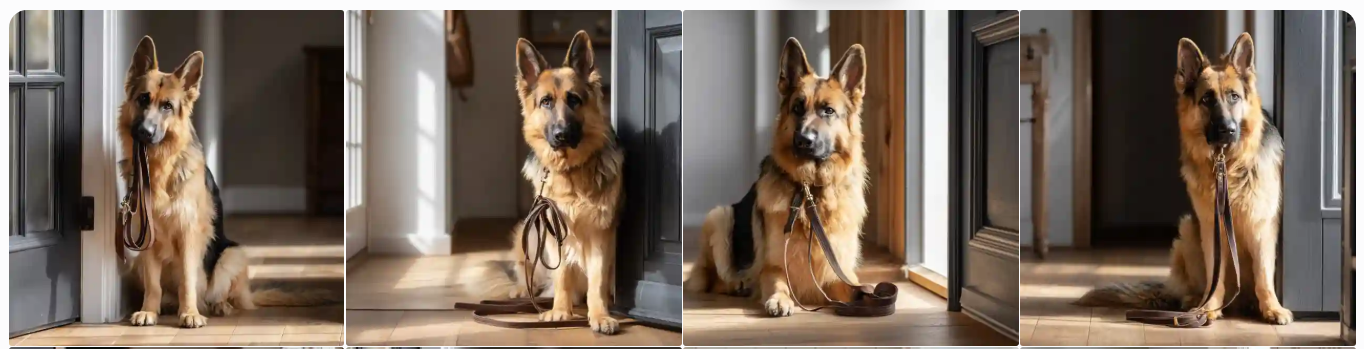
Once ChatGPT had generated a detailed prompt that captured the behaviour and emotional tone I was looking for, I pasted it directly into Midjourney and generated the initial set of images.
Midjourney returned four different interpretations of the same prompt, each offering a slightly different pose, expression, or mood.
After rerunning the prompt a number of times, I found the one that I wanted (see image 1 below).
I upscaled the image and then downloaded it from Midjourney.
Program used: MIDJOURNEY
Midjourney is an AI image generator program that I used to produce high quality images from written prompts.
In my opinion Midjourney creates the highest quality images, but you do have to subscribe.
You can subscribe to Midjourney at https://midjourney.com
For free alternatives try out ChatGPT, Meta AI, Google Gemini, Copilot.
Step 4: Increase the resolution of the image
Although the image resolution produced by Midjourney is generally suitable for online use, it is often not sufficient for high-quality printing. Because this book was designed to be professionally printed, I used Topaz Gigapixel to increase the size and resolution of the Midjourney images while preserving fine detail and clarity.
The Topaz software’s AI-based upscaling allowed the images to be enlarged without the softness or pixelation that can occur with standard resizing methods.
This step ensured that the final images reproduced cleanly on the printed page and maintained a consistent, high-quality visual standard throughout the book.
Program used: TOPAZ GIGAPIXEL
Topaz Gigapixel is an image enhancement program designed to increase the size and resolution of images while preserving, and often improving, fine detail and sharpness. It uses AI to intelligently add detail when enlarging images, making it particularly useful for preparing images for high-quality printing.
Topaz Gigapixel is available on subscription from: https://www.topazlabs.com/topaz-gigapixel
If you are looking for a free image upsizer you might like to try Upscayl (https://upscayl.github.io/).
Step 5: Create the page layout in CANVA
I used Canva to set up the page layout for the book using a custom 6 × 6 inch format, allowing for “bleed” so that images could extend cleanly to the edges of the page.
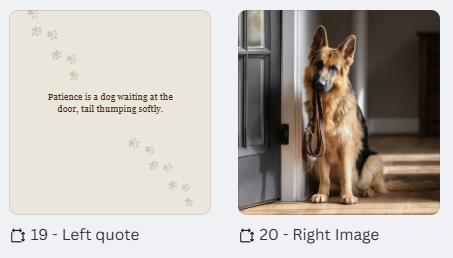
I designed the book as a simple two-page sequence, with every second page featuring a full-page image that ran right to the edge.
The alternating pages were reserved for the quotes, using a clean, uncluttered layout with generous white space to allow the words to be read slowly and thoughtfully.
This consistent structure helped create a calm visual flow throughout the book and ensured that both the images and the text were given equal space and importance.
Screenshot of Canva page set-up
Program used: CANVA
Canva is an online design platform that allows users to create professional-quality visual materials without needing advanced graphic design skills. It provides an intuitive drag-and-drop interface, along with tools for custom page sizes, bleed settings, typography, and image placement, making it well suited for designing print-ready books as well as digital content.
The Canva website can be accessed at https://www.canva.com.
Step 6: Create the quotes
To create the quotes for the book, I used ChatGPT as a writing partner, beginning by clearly defining the style of writing I was aiming for.
I trained it by specifying the preferred length, tone, and overall intent of the quotes, and by providing several examples of quotes I had written myself so it could mirror the voice and style I wanted to maintain throughout the book.
For each image, I uploaded the dog image to ChatGPT and asked it to generate 10 different quote options that were suitable for the image. In total I generated over 320 quotes that I selected from.
I guided the process by indicating whether the quote should feel uplifting, inspirational, or humorous, and by suggesting themes or ideas that suited the dog’s expression or behaviour.
This approach allowed the words to be closely connected to the image, while still giving me a range of options to choose from so I could select the quote that felt most natural and meaningful.
Program used: CHATGPT
ChatGPT is an AI-based writing tool that can be used for a wide range of creative and practical writing tasks, from generating short quotes and reflections to drafting longer pieces of text.
In this part of the project, I used it to generate the quotes or sayings that you see in the book.
The ChatGPT website can be accessed at: https://chat.openai.com
You can also try alternatives such as Claude, Microsoft Copilot, Google Gemini.
Step 7: Publishing the book
To publish the book on Amazon Kindle Direct Publishing (KDP), I first formatted all of the interior pages in Canva, using a custom page size and bleed settings suitable for print.
Once the layout was complete, I exported the interior file using the print-ready PDF settings specified by Amazon KDP.
I then created a separate document for the front and back cover, including the spine, designed to meet KDP’s exact size and bleed requirements.
After setting up a free account on Amazon Kindle Direct Publishing (KDP), I uploaded the interior PDF and cover file, entered the book’s details, selected the pricing, and chose the appropriate print options.
I ordered a proof copy to review the physical book and made minor adjustments before approving it for publication. Once released, the book became available for sale on Amazon, with copies printed locally in the buyer’s own country to help reduce postage costs.
In addition, I uploaded the book to the IngramSpark platform to extend its availability to bookshops and libraries.
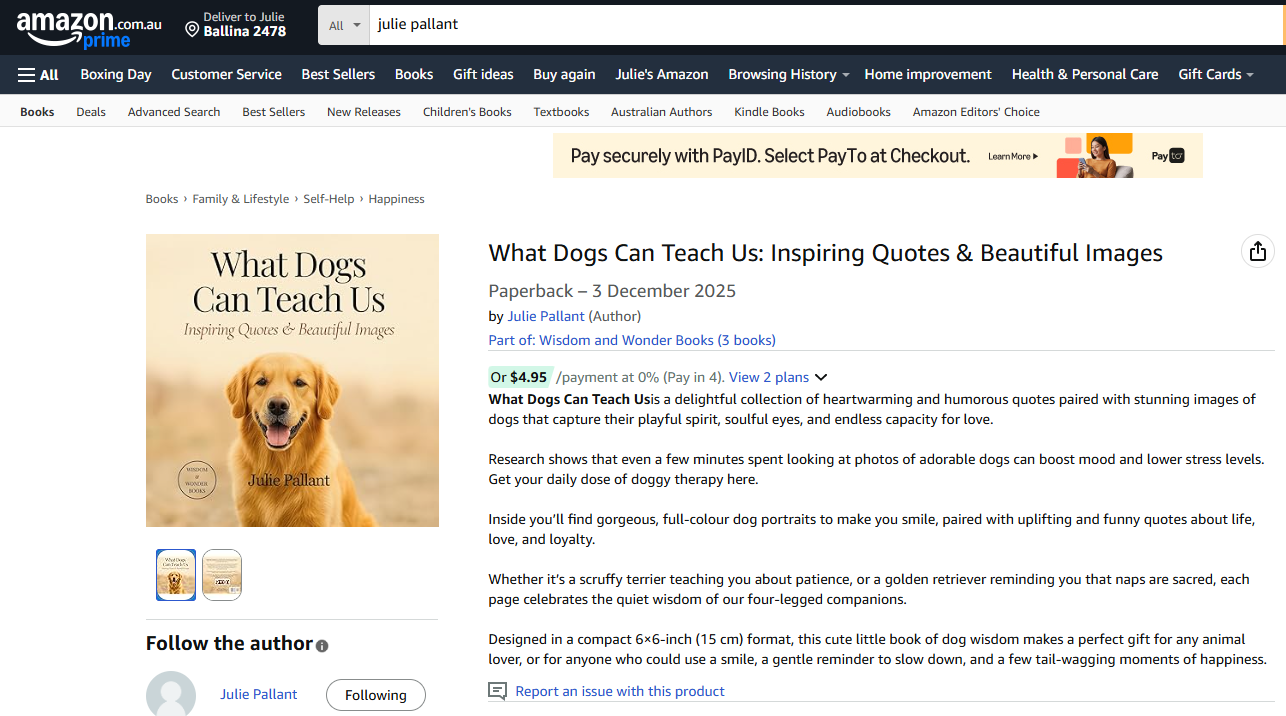
Screenshot of my Amazon site where What Dogs Can Teach Us can be purchased
Amazon Prime Membership
If you want to have free shipping from Amazon you might consider signing up for an Amazon Prime subscription. This includes free shipping on eligible Amazon purchases, which means members do not pay additional postage costs for items marked as Prime-eligible.
For books and other physical products, this typically includes free standard delivery, with faster shipping options available in many locations at no extra charge.
Because Amazon prints books locally where possible, Prime members benefit from reduced delivery times as well as free postage, making it a cost-effective option for readers who purchase books regularly through Amazon.
In addition to delivery benefits, Prime membership includes access to Prime Video, which offers a library of movies, television series, and Amazon Originals, as well as Prime Music, providing ad-free access to a large selection of songs and playlists.
The current price for a year’s membership in Australia is AUS $79. Check prices and features in your own country.
If you wish to purchase my book as a gift for someone else, wherever they live in the world, nominate their address in the Amazon checkout page and it will be printed in their country and mailed directly to them. If you are a Prime member the delivery is usually free.
Program used: KDP (Amazon Kindle Direct Publishing)
Amazon Kindle Direct Publishing (KDP) is a self-publishing platform that allows authors and creators to publish books directly to Amazon without upfront costs.
It enables users to upload print-ready interior files and cover designs, set pricing, and manage book details through an online dashboard.
KDP offers print-on-demand production, meaning books are printed when ordered and manufactured in the buyer’s local region where possible, helping to reduce printing and shipping costs.
The platform provides global distribution through Amazon, while giving authors full control over their content, pricing, and publication status.
Link to KDP to set up your own account: https://kdp.amazon.com